Split Trades
The Split Trades worker divides enterprise-level trades into their target portfolios using allocation rules defined in configuration datastores. It outputs two datastores: one at the enterprise level (pre-split) and one at the portfolio level (post-split).
Parameters
Input
| Field | Description |
|---|---|
| Incoming Trades | Trade data to be split, usually from a trade parser. Accepts Upstream Data, Fixed Datastore, or Get Latest |
| Assign To Portfolio By | The trade property used to look up the allocation rule. Accepts Fixed Select. Options: Trader, Instrument Class |
| Assign Portfolio Rules | Configuration datastore mapping property values to allocation rules. Accepts Upstream Data, Fixed Datastore, or Get Latest |
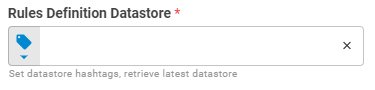
| Rules Definition Datastore | Configuration datastore mapping each rule to target portfolios and split percentages. Accepts Upstream Data, Fixed Datastore, or Get Latest |
Output
| Field | Description |
|---|---|
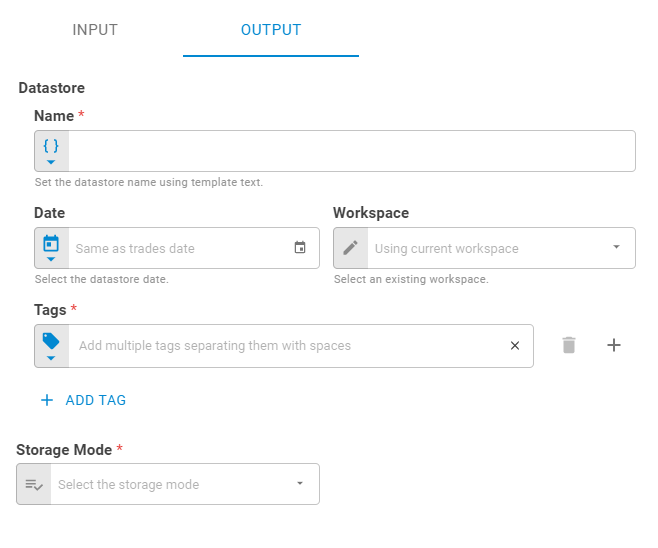
| Name | Output datastore name. Accepts Template Text or Upstream Data |
| Workspace | Workspace where the datastore will be saved. Accepts Fixed Workspace |
| Date | Output datastore date. Accepts Fixed Date or Upstream Data. Defaults to the trades date |
| Tags | Output datastore tags. Accepts Fixed Tags or Upstream Data |
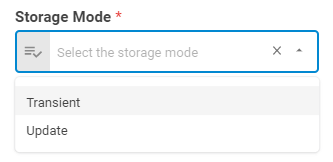
| Storage Mode | How the result is persisted. Options: Transient, Update |
Result
Once the worker finishes successfully, it returns two datastores.
- Object (object)
- Enterprise Datastore (datastore) — trades at the enterprise level, before splitting
- ID (string)
- Name (string)
- Date (date)
- Tags (list)
- Data (list)
- Splitted Datastore (datastore) — trades at the portfolio level, after splitting
- ID (string)
- Name (string)
- Date (date)
- Tags (list)
- Data (list)