Portfolio Look-Through
The Portfolio Look-Through worker expands multi-level investment funds and ETFs, creating a new flat portfolio based on the exploration results.
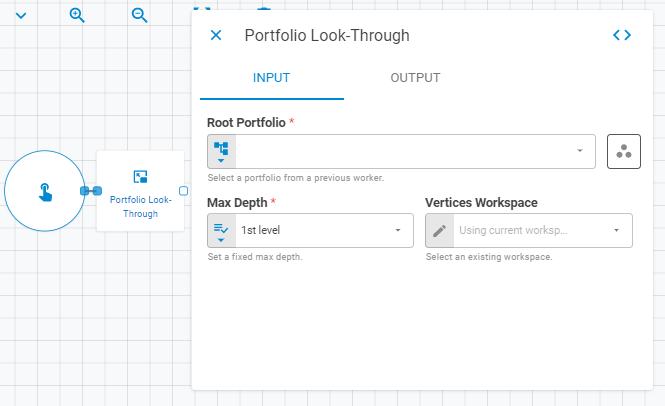
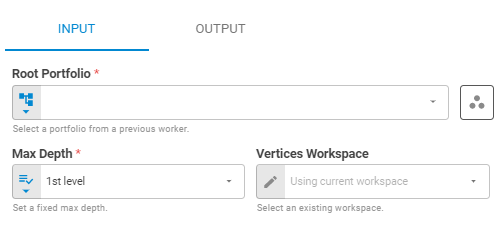
Parameters
Input
| Field | Description |
|---|---|
| Root Portfolio | The portfolio to expand. Accepts Fixed Portfolio, Get Latest or Upstream Data |
| Max Depth | Maximum level depth for the look-through exploration. Accepts Fixed Select. Default is 1st level |
| Vertices Workspace | Workspace used to resolve fund vertices. Accepts Fixed Workspace. Default is Using current workspace |
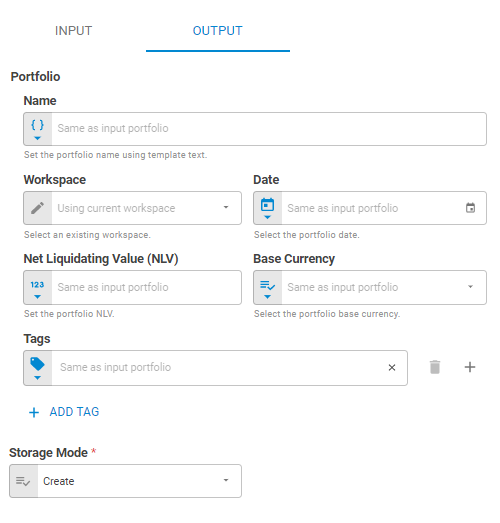
Output
| Field | Description |
|---|---|
| Name | Name of the output portfolio. Accepts Template Text or Upstream Data. Default is Same as input portfolio |
| Workspace | Workspace where the result portfolio will be saved. Accepts Fixed Workspace. Default is Using current workspace |
| Date | Date of the output portfolio. Accepts Fixed Date or Upstream Data. Default is Same as input portfolio |
| Net Liquidating Value (NLV) | NLV of the output portfolio. Accepts Number or Upstream Data. Default is Same as input portfolio |
| Base Currency | Base currency of the output portfolio. Accepts Fixed Select or Upstream Data. Default is Same as input portfolio |
| Link UID | Link UID of the output portfolio. Accepts Template Text. Default is Same as input portfolio |
| Tags | Tags for the output portfolio. Accepts Fixed Tags or Upstream Data. Default is Same as input portfolio |
| Storage Mode | Whether the result portfolio is saved to the platform or kept transient. Accepts Fixed Select. Options: Transient, Create, Update. Default is Create |
Result
Once the worker finishes successfully, it returns the look-through portfolio.
- Portfolio (portfolio)
- ID (string)
- Name (string)
- Tags (list)
- Date (date)
- Base Currency (string)
- NLV (number)
- Securities (list)
- ID (string)
- Status (string)
- Instrument Class (string)
- Symbol (string)
- Label (string)
- Quantity (number)