Portfolio Expression
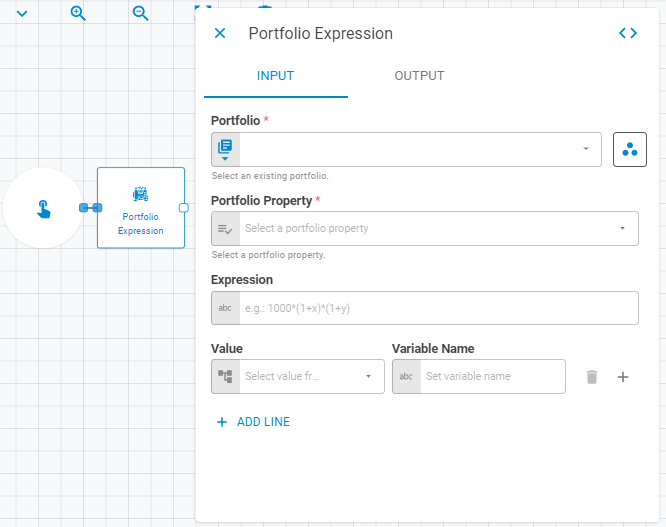
The Portfolio Expression worker applies a user-defined expression to a portfolio property, returning a new portfolio with the modified values to the workflow.
Parameters
Input
| Field | Description |
|---|---|
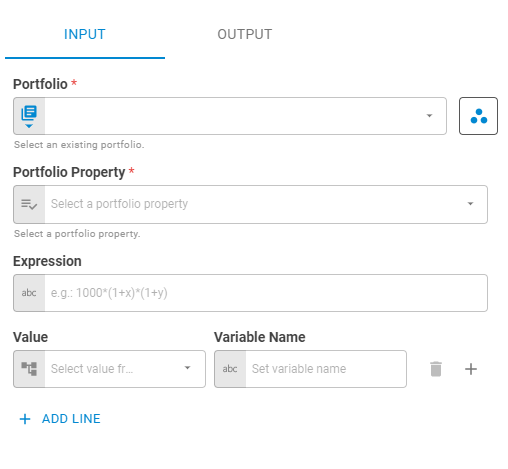
| Portfolio | The portfolio to modify. Accepts Fixed Portfolio, Get Latest, Get List or Upstream Data |
| Portfolio Property | The portfolio property to be manipulated. Accepts Fixed Select |
| Expression | The expression to apply to the selected property (e.g. 1000*(1+x)*(1+y)) |
| Value | The value to bind to the expression variable. Accepts Upstream Data |
| Variable Name | The variable name used inside the expression. Accepts Template Text |
Output
| Field | Description |
|---|---|
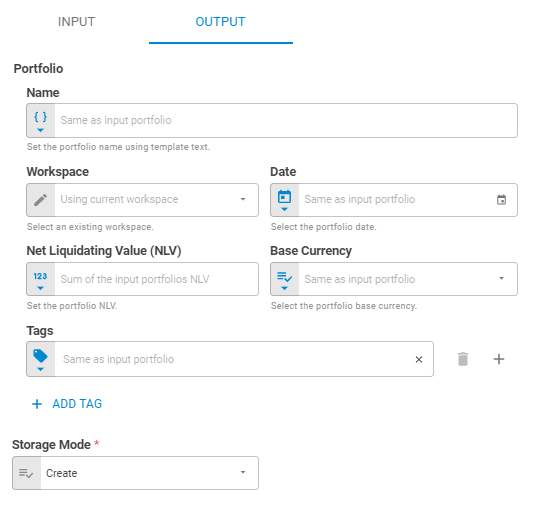
| Name | Name of the output portfolio. Accepts Template Text or Upstream Data. Default is Same as input Portfolio |
| Workspace | Workspace where the result portfolio will be saved. Accepts Fixed Workspace. Default is Using current workspace |
| Date | Date of the output portfolio. Accepts Fixed Date or Upstream Data. Default is Same as input Portfolio |
| Net Liquidating Value (NLV) | NLV of the output portfolio. Accepts Number or Upstream Data. Default is Same as input Portfolio |
| Base Currency | Base currency of the output portfolio. Accepts Fixed Select or Upstream Data. Default is Same as input Portfolio |
| Tags | Tags for the output portfolio. Accepts Fixed Tags or Upstream Data. Default is Same as input Portfolio |
| Storage Mode | Whether the result portfolio is saved to the platform or kept transient. Accepts Fixed Select. Options: Transient, Create, Update. Default is Transient |
Result
Once the worker finishes successfully, it returns the modified portfolio.
- Portfolio (portfolio)
- ID (string)
- Name (string)
- Tags (list of strings)
- Date (date)
- Base Currency (string)
- NLV (number)
- Securities (list)
- ID (string)
- Status (string)
- Instrument Class (string)
- Symbol (string)
- Label (string)
- Quantity (number)