Datastore Merge
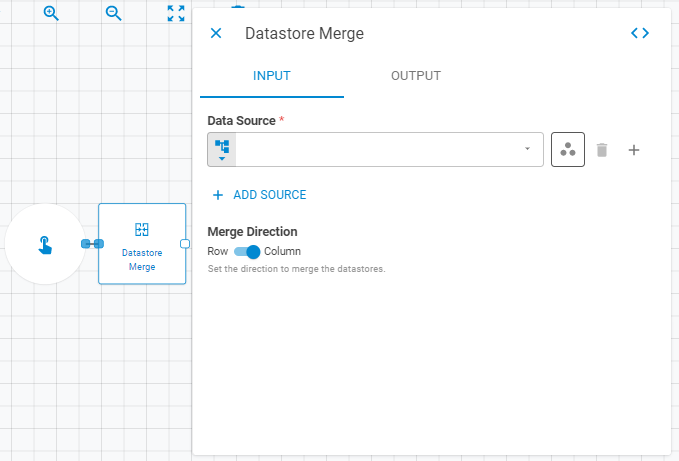
The Datastore Merge worker appends multiple datastores into a single merged datastore, which can be saved to the platform or used within the current workflow.
Parameters
Input
| Field | Description |
|---|---|
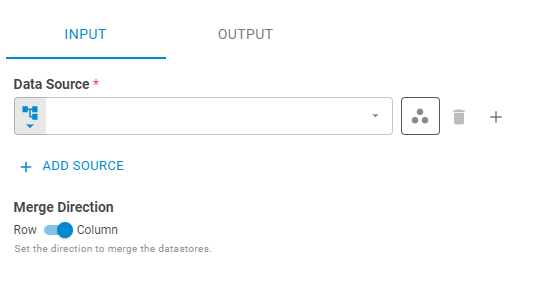
| Datastore(s) | One or more datastores to merge. Click Add Datastore to add additional sources. Accepts Fixed Datastore, Get Latest, or Upstream Data |
| Merge Direction | Direction in which the datastores are merged. Accepts Fixed Select. Options: Columns, Rows |
Output
| Field | Description |
|---|---|
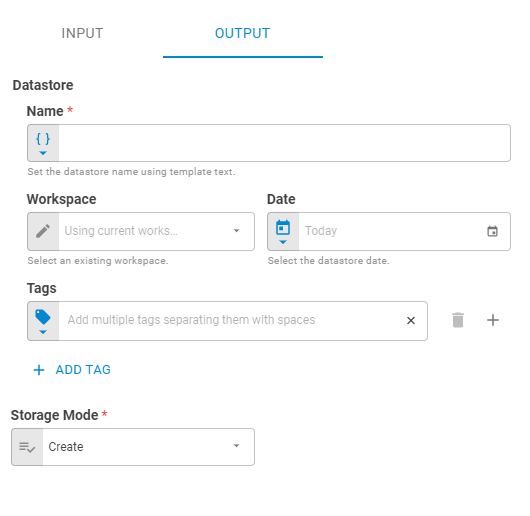
| Name | Name of the merged datastore. Accepts Template Text or Upstream Data |
| Workspace | Workspace where the merged datastore will be saved. Accepts Fixed Workspace |
| Date | Date of the merged datastore. Accepts Fixed Date or Upstream Data. Default is Today |
| Link UID | Link UID for the output datastore. Accepts Template Text or Upstream Data |
| Tags | Tags for the merged datastore. Accepts Fixed Tags or Upstream Data |
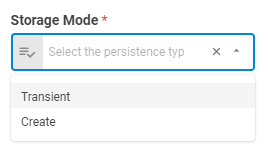
| Storage Mode | How the result is persisted. Options: Transient (current run only), Create (saved to platform) |
| Projection | Which attributes to return in the result. Accepts Fixed Select. Default is Without Data |
| Enable Consistency Check By Link UID | Whether to enforce uniqueness by Link UID before saving. Accepts Boolean |
Advanced
| Field | Description |
|---|---|
| Duplicate Columns Resolution | How to handle duplicate column names when merging by columns. Accepts Fixed Select. Default is Keep first occurrence |
| Row Structure | How rows are matched when merging. Accepts Fixed Select. Default is Matching rows |
| Distinct Rows Resolution | How to handle duplicate rows. Accepts Fixed Select. Default is Keep rows from first datastore |
| Subset Columns for Distinct Check | Columns used to determine row uniqueness. Click Add Column to specify columns |
Result
Once the worker finishes successfully, it returns a result object containing the merged datastore.
- Datastore (datastore)
- ID (string)
- Name (string)
- Date (date)
- Tags (list of strings)
- Data (list of lists)