Custom Datastore
The Custom Datastore worker receives a portfolio and converts it to a datastore, allowing you to add custom columns alongside those generated from the portfolio's security properties.
Parameters
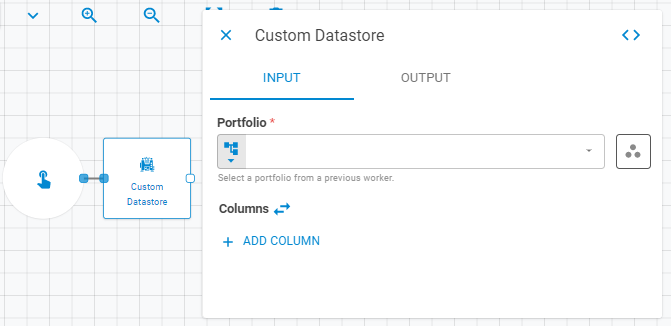
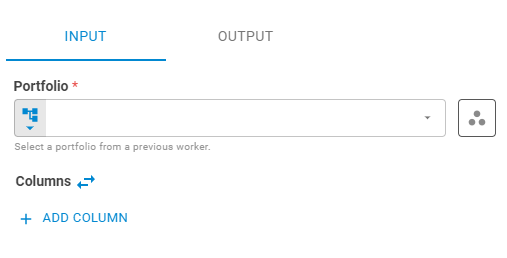
Input
| Field | Description |
|---|---|
| Portfolio | The source portfolio. Accepts Fixed Portfolio, Get Latest, or Upstream Data |
| Columns | Custom columns to add to the datastore. Accepts a list of lists from upstream data, or individual columns defined with Add Column |
Adding columns from upstream data: Pass a list of lists where the first list is the column header and the remaining lists are row values. Column length must match the number of securities in the portfolio.
Adding static columns: Click Add Column to define each column individually. Set Column Name using Template Text or Upstream Data, and Column Data using Upstream Data, Fixed String, or Fixed Number.
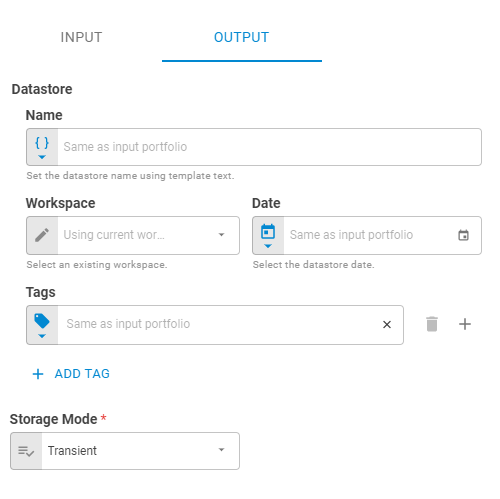
Output
| Field | Description |
|---|---|
| Name | Name of the output datastore. Accepts Template Text or Upstream Data |
| Date | Date of the output datastore. Accepts Fixed Date or Upstream Data |
| Workspace | Workspace where the output datastore will be saved. Accepts Fixed Workspace |
| Tags | Tags for the output datastore. Accepts Fixed Tags or Upstream Data |
| Storage Mode | Transient — exists only within the current workflow run (default); Create — saves the datastore to the platform |
Advanced
| Field | Description |
|---|---|
| Data Layout | How the datastore data is structured. Accepts Fixed Value. Defaults to Headers and rows |

Result
Once the worker finishes successfully, it returns a result object containing the datastore. You can check the Output Types article to learn more about result object types.
- Datastore (datastore)
- ID (string)
- Name (string)
- Date (date)
- Tags (list)
- Data (list of lists)