Portfolio Merge
The Portfolio Merge worker appends one or more portfolios to a target portfolio, creating a new merged portfolio. If no name, date, or base currency is specified for the output, those values are inherited from the target portfolio. NLVs from all appended portfolios are summed when no output NLV is set.
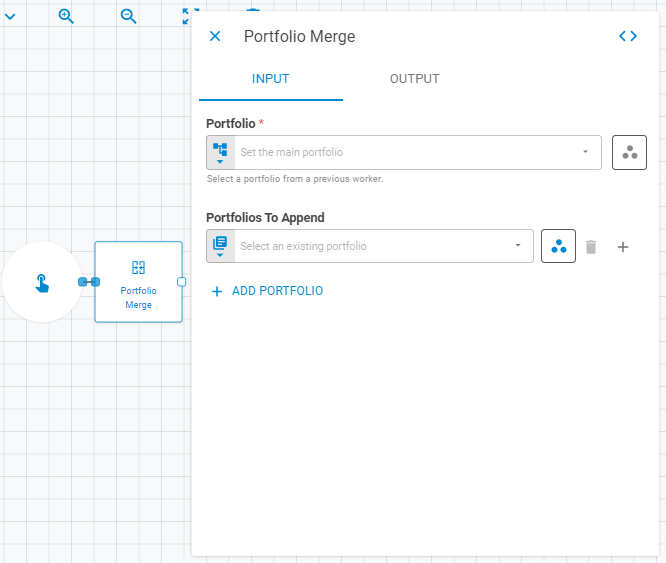
Parameters
Input
| Field | Description |
|---|---|
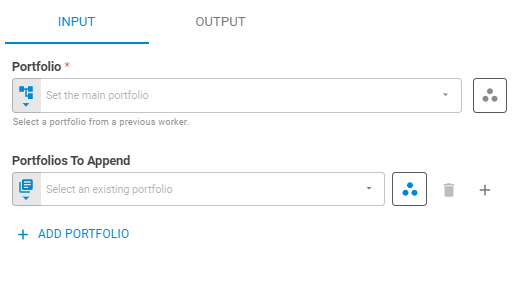
| Portfolio | The main (target) portfolio. Accepts Fixed Portfolio, Get Latest or Upstream Data |
| Portfolios To Append | One or more portfolios to merge into the target. Use Add Portfolio to add entries. Each entry accepts Fixed Portfolio, Get Latest or Upstream Data |
Output
| Field | Description |
|---|---|
| Name | Name of the merged portfolio. Accepts Template Text or Upstream Data. Default is Same as input portfolio |
| Workspace | Workspace where the merged portfolio will be saved. Accepts Fixed Workspace. Default is Using current workspace |
| Date | Date of the merged portfolio. Accepts Fixed Date or Upstream Data. Default is Same as input portfolio |
| Net Liquidating Value (NLV) | NLV of the merged portfolio. Accepts Number or Upstream Data. Default is Sum of the input portfolios NLV |
| Base Currency | Base currency of the merged portfolio. Accepts Fixed Select or Upstream Data. Default is Same as input portfolio |
| Link UID | Link UID of the merged portfolio. Accepts Template Text. Default is Same as input portfolio |
| Tags | Tags for the merged portfolio. Accepts Fixed Tags or Upstream Data. Default is Same as input portfolio |
| Storage Mode | Whether the result portfolio is saved to the platform or kept transient. Accepts Fixed Select. Options: Transient, Create, Update. Default is Create |

Result
Once the worker finishes successfully, it returns the merged portfolio.
- Portfolio (portfolio)
- ID (string)
- Name (string)
- Tags (list of strings)
- Date (date)
- Base Currency (string)
- NLV (number)
- Securities (list)
- ID (string)
- Status (string)
- Instrument Class (string)
- Symbol (string)
- Label (string)
- Quantity (number)