RAG
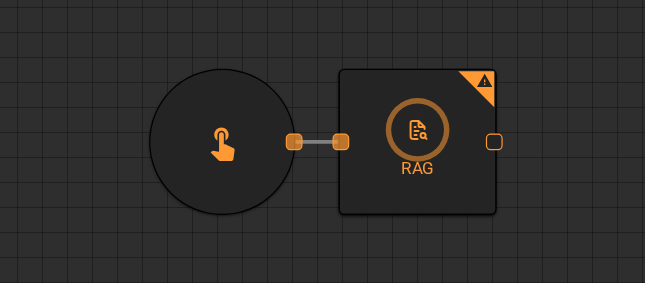
The RAG (Retrieval-Augmented Generation) worker searches a content source for passages relevant to a query, then passes those passages to a language model to produce a grounded response. Use it when answers must be anchored to your own documents or data rather than the model's training data alone.
Parameters
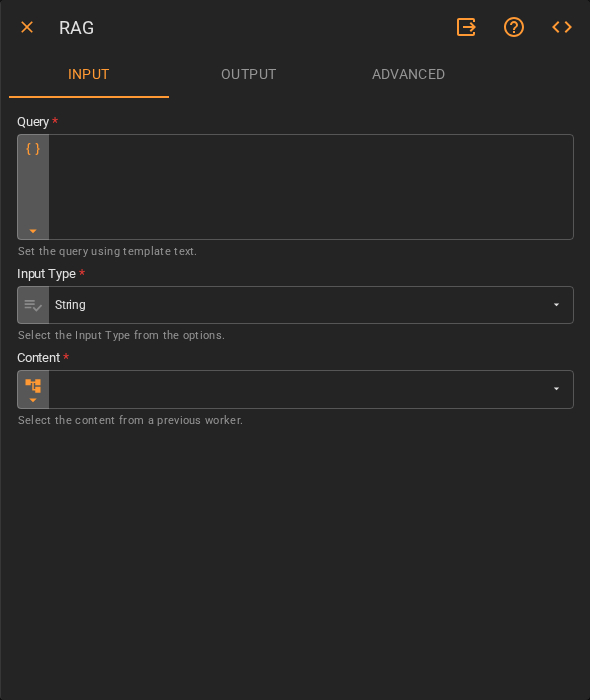
Input
| Field | Description |
|---|---|
| Query | The question or search term used to retrieve relevant content. Accepts Template Text or Upstream Data |
| Input Type | The data type of the content to be indexed. Accepts Fixed Value. Defaults to String |
| Content | The content to search against, supplied by a previous worker. Accepts Upstream Data |
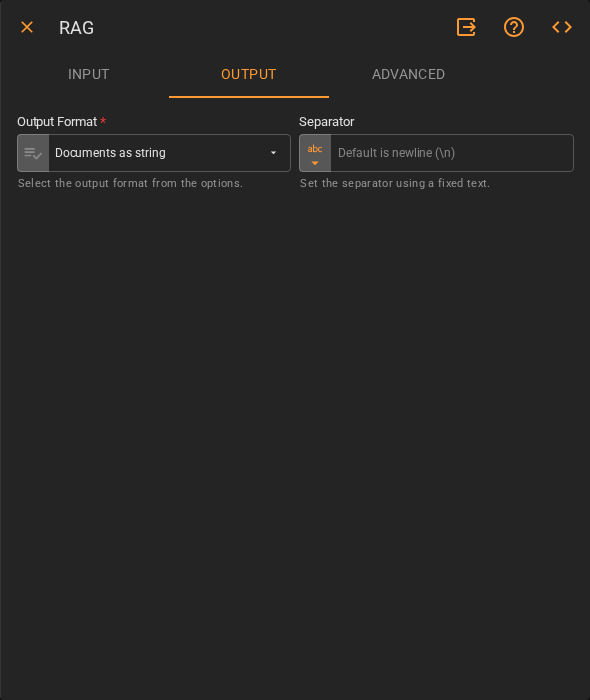
Output
| Field | Description |
|---|---|
| Output Type | The data type the worker returns. Accepts Fixed Value. Defaults to String |
| JSON Schema | Optional schema for structured output. Define field types using the Form or JSON editor. Only applies when Output Type is not String |
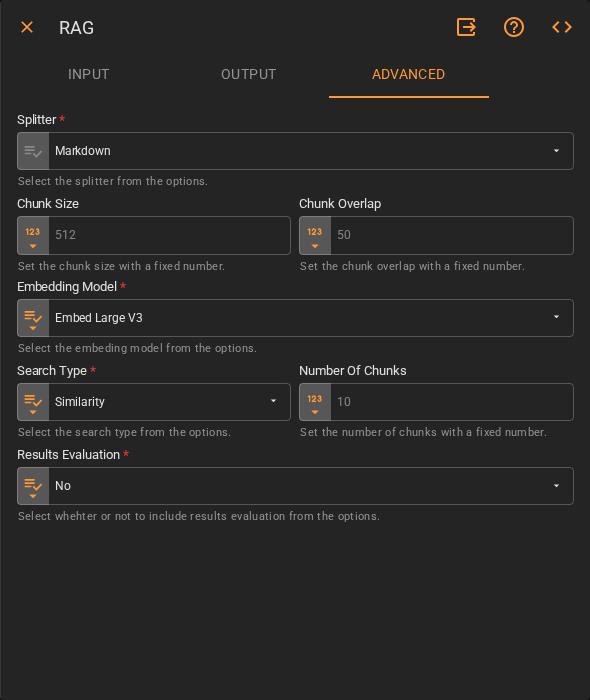
Advanced
| Field | Description |
|---|---|
| Splitter | How the content is split into chunks before indexing. Accepts Fixed Value. Defaults to Markdown |
| Chunk Size | Maximum number of tokens per chunk. Accepts Fixed Number. Defaults to 512 |
| Chunk Overlap | Number of tokens shared between adjacent chunks. Accepts Fixed Number. Defaults to 50 |
| Embedding Model | The model used to generate vector embeddings for retrieval. Accepts Fixed Value. Defaults to Embed Large V3 |
| Search Type | The retrieval strategy. Accepts Fixed Value. Defaults to Similarity |
| Number Of Chunks | How many retrieved chunks are passed to the model as context. Accepts Fixed Number. Defaults to 10 |
| Results Evaluation | Whether to include a relevance evaluation of the retrieved results. Accepts Fixed Value. Defaults to No |
Result
Once the worker finishes successfully, it returns the model's response grounded in the retrieved content.
- Result (string)