Zip Operations
The Zip Operations worker compresses files into a .zip archive or extracts files from an existing .zip archive, with options to save results to the platform or pass them downstream.
Parameters
Input
| Field | Description |
|---|---|
| Operation | Whether to Zip (compress) or Unzip (extract) files. Accepts Fixed Select |
| File | The file to operate on. For Unzip: the .zip archive to extract. Accepts Fixed File, Get Latest, or Upstream Data |

Output
| Field | Description |
|---|---|
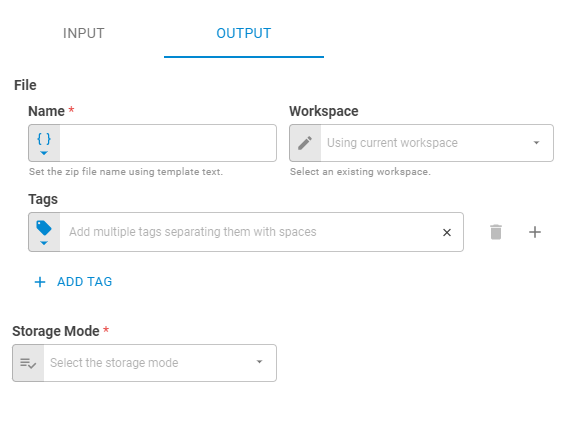
| Name | Name of the output file. Accepts Template Text or Upstream Data. Defaults to auto-generated |
| Workspace | Workspace where the output file will be saved. Accepts Fixed Workspace. Defaults to the current workspace |
| Date | Date of the output file. Accepts Fixed Date or Upstream Data |
| Link UID | Link UID of the output file. Accepts Template Text or Upstream Data |
| Content-Type | MIME type of the output file. Defaults to auto-generated |
| Tags | Tags for the output file. Accepts Fixed Tags or Upstream Data |
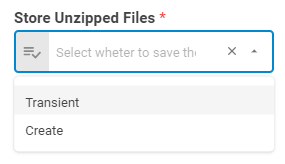
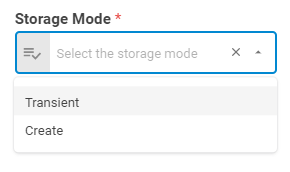
| Storage Mode | Transient — file exists only within the current workflow run; Create — saves the file to the platform |
| Projection | Controls which attributes of the file entity are returned downstream |
| Enable Consistency Check By Link UID | When enabled, checks for an existing file with the same Link UID before creating a new one |
Advanced
| Field | Description |
|---|---|
| Unzip Mode | How extracted files are handled. Multiple Files returns each file separately; Single File returns them combined. Default is Multiple Files |
| Return Mode | Whether extracted files are returned in a separate parallel downstream flow or a single sequential flow |
| Password | Password for protected archives. Default is No Password |
Result
Once the worker finishes successfully, it returns a result object containing the output file(s). You can check the Output Types article to learn more about result object types.
- File (file)
- ID (string)
- Name (string)
- Tags (list of strings)
- Content-Type (string)
- Data (file_data)