Creating Reports
Create a report with a manual workflow
In the Setup tab, first drag a portfolio from the left panel and drop it in the central panel in portfolio A place holder. Then drag a template from the right panel and drop it in the template placeholder:
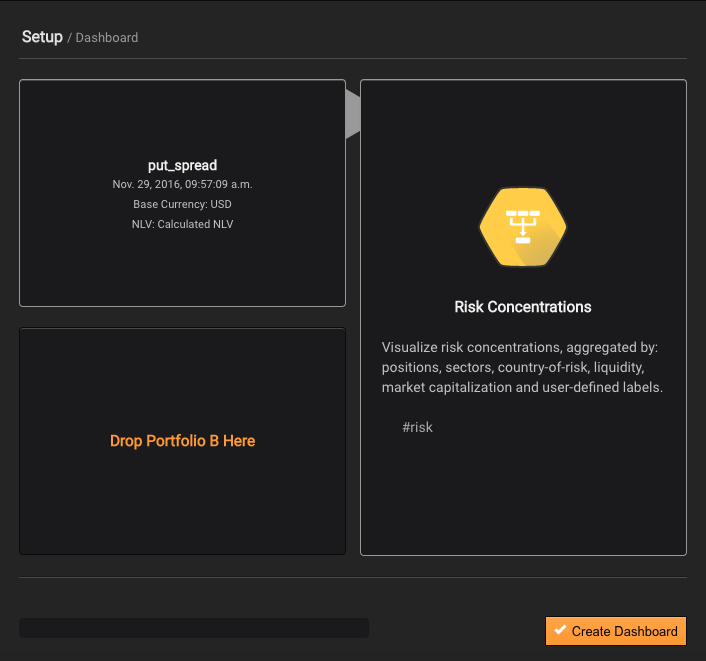
In the figure above the portfolio named put_spread has been paired with the template named Risk Concentrations.
Next press the Create Report button.
Please note that some templates, such as Stress Test Comparison and BackTest Comparison, require 2 portfolios to be dropped into placeholders A and B.
Name convention
The report name convention is:
Where:
: Template selected
For example: a portfolio named managed_account with base currency in Euro, paired with the Risk Concentration template will be:
managed_account (EUR) - Risk Concentration.
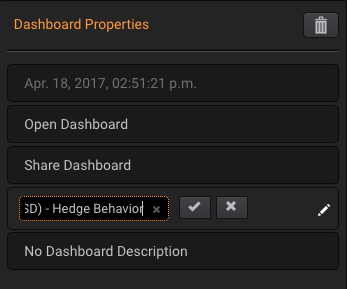
You can always overwrite report names by typing the new name directly into the existing name in the right panel (when Reports tab is selected):
Visualize reports created in the past
Before proceeding, please consider reading first how to quickly retrieve specific Report(s) from the list of created reports: Searching Reports
Then, in order to visualize the contents of the Report, all you need to do is drag it from the left panel and drop it in the central panel.